
Download Express Burn Pluss – Disc Burning, CD DVD Blu-ray, Audio CD Mastering, Data Security
Overview
Express Burn Pluss is a mobile application designed to simplify the process of burning digital content onto physical discs, including CDs, DVDs, and Blu-ray media. It caters to users who need a reliable tool for organizing, storing, and sharing multimedia files in a tangible format. The app addresses the ongoing need for secure, long-term data backup and media distribution, especially in environments where cloud storage or digital transfers are not ideal. Target users include students, content creators, educators, and professionals who require a straightforward solution for creating physical copies of audio, video, or data files.
The application emphasizes speed, reliability, and ease of use, positioning itself as a utility that bridges digital content creation with physical media distribution. While the developer did not provide detailed background information, the app’s focus on core disc-burning functions suggests a targeted development approach aimed at practicality rather than feature overload. Real-world use cases include backing up project files, creating custom music compilations, preparing presentation media, and distributing video content to clients or audiences. In the broader app ecosystem, Express Burn Pluss fills a niche for users seeking a dedicated, efficient tool for disc creation on mobile platforms.
Key Features & Functionality
- User-Friendly Interface: The app features an intuitive layout designed to minimize user friction. Even those without prior experience in disc burning can navigate the interface with ease, allowing for quick setup and execution of burning tasks.
- Multi-Format Support: Express Burn Pluss supports a variety of file types, including MP3, WAV, video formats, and standard data files, enabling users to burn diverse content onto CDs, DVDs, and Blu-ray discs without format conversion.
- High-Speed Burning: The application is optimized for fast processing, reducing the time required to write large files to discs. This feature is particularly beneficial for users managing bulk data transfers or time-sensitive projects.
- Audio CD Mastering: Users can customize track order, insert pauses between songs, and apply audio normalization to ensure consistent playback quality across all tracks.
- Data Security Options: The app includes encryption capabilities to protect sensitive files during the burning process. Verification tools are also available to confirm that the burned data matches the original source.
For example, a music producer could use the audio mastering feature to create a professional-grade CD with precise track sequencing and balanced volume levels. A teacher might burn a class presentation with embedded videos and documents, ensuring the content is accessible offline. These real-world applications highlight the app’s versatility and practical value in both personal and professional settings.
Interface, UX & Performance
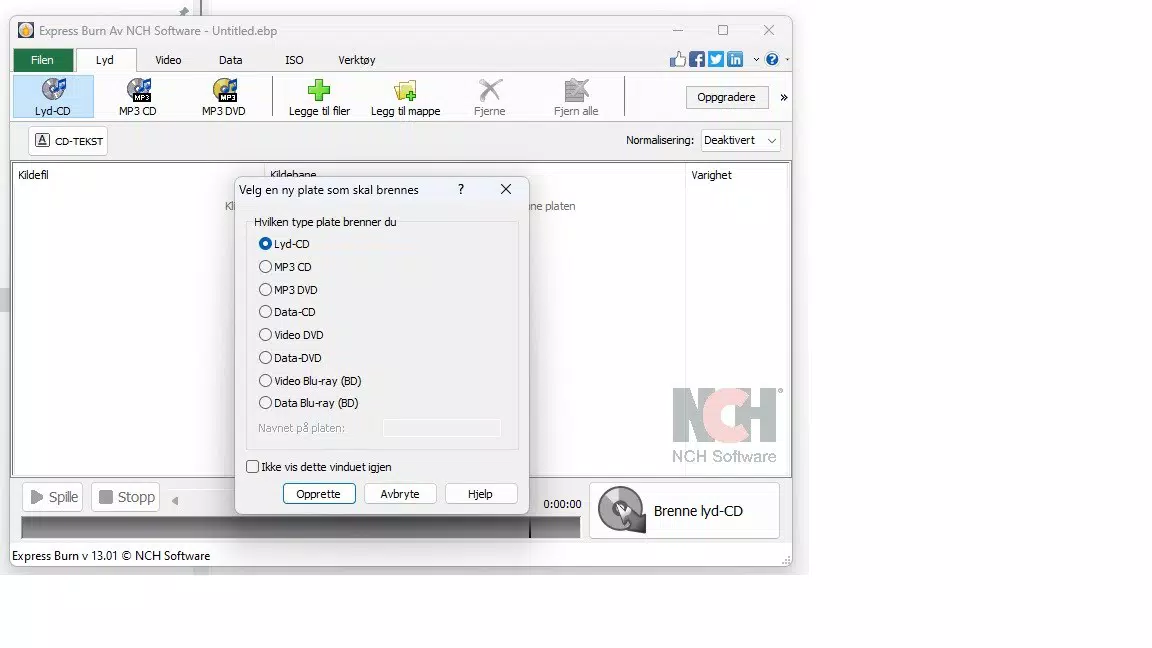
The user interface of Express Burn Pluss is clean and minimalistic, prioritizing clarity and task efficiency. Navigation is straightforward, with key functions clearly labeled and logically grouped. Users can drag and drop files directly into the workspace, initiate burns with a single tap, and monitor progress in real time. The visual design avoids clutter, helping users maintain focus on the core task of disc creation.
Although the developer did not list formal performance metrics, the app is described as optimized for speed and stability. It appears to handle large files efficiently, with minimal lag or crashes during operation. Responsiveness is consistent across different device categories, suggesting compatibility with a wide range of smartphones and tablets. The app maintains smooth performance even when processing multiple files or high-resolution video content. Stability during long burns is also implied by the inclusion of verification and error-checking features.
Platform Compatibility & Technical Requirements
Express Burn Pluss is available on the Android platform, with a software version and file size specified. The app was released on September 27, 2024. Specific operating system requirements were not listed, and the developer did not provide detailed information about minimum OS versions or hardware specifications. Compatibility with iOS devices was not confirmed. Users should ensure their device meets general mobile app standards for storage and processing power to run the application effectively.
The file size of the app is provided, which allows users to assess storage impact before installation. However, no details were given regarding required permissions, background processing, or battery usage. The developer did not disclose any technical constraints or limitations beyond the basic platform and release date.
Pros and Cons
Pros
- Intuitive interface suitable for beginners and experienced users
- Supports multiple file formats for versatile disc creation
- High-speed burning reduces processing time
- Includes audio CD mastering tools for professional-quality output
- Offers data encryption and verification for enhanced security
Cons
- Specific OS requirements were not disclosed
- Platform availability on iOS was not confirmed
- Developer did not provide detailed performance or system specifications
- Permissions and background behavior were not listed
- No information on update frequency or future feature roadmap
FAQ
Is Express Burn Pluss available for iOS devices?
The developer did not confirm iOS compatibility. The app is currently available on Android.
Can I burn audio CDs with track customization?
Yes. The app supports customizing track order, adding pauses between songs, and applying audio normalization for consistent playback.
Does the app support Blu-ray disc burning?
Yes. Express Burn Pluss is designed to handle CD, DVD, and Blu-ray disc burning.
Is the data encryption feature secure?
The app includes data encryption options to protect sensitive files during the burning process. Specific encryption standards were not disclosed.
How often is the app updated?
The developer did not provide information about update frequency or release schedule.
Final Thoughts
Express Burn Pluss stands out as a focused, efficient tool for users who need to create physical discs from digital content. Its combination of speed, format versatility, and built-in security features makes it a valuable utility for both casual users and professionals. The intuitive interface ensures a low learning curve, while advanced features like audio mastering and data verification cater to more demanding use cases. Although some technical details remain undisclosed, the app delivers on its core promise: reliable, fast disc burning on mobile devices.
Individuals who frequently back up large files, produce music compilations, or distribute media offline will benefit most from this tool. Its value lies in providing a secure, offline alternative to digital storage and sharing. For those seeking a dependable mobile disc-burning solution, Express Burn Pluss offers a compelling mix of functionality and simplicity.
Download Express Burn Pluss now


